






The Geocult Natal Chart app builds a natal chart based on your date of birth, providing interpretations of the Houses, planets in zodiac signs, and planetary aspects.
The chart calculation algorithm is identical to the online version.
You can install the app from Google Play.

Screenshot: Adding a natal chart.
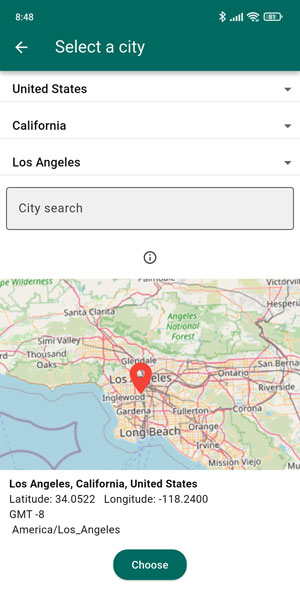
Screenshot: Location selection.
When selecting a location, fill in Country – Region – City, or simply enter the name of the locality in the search bar.
To adjust the latitude and longitude, move the red flag to the desired position on the map.
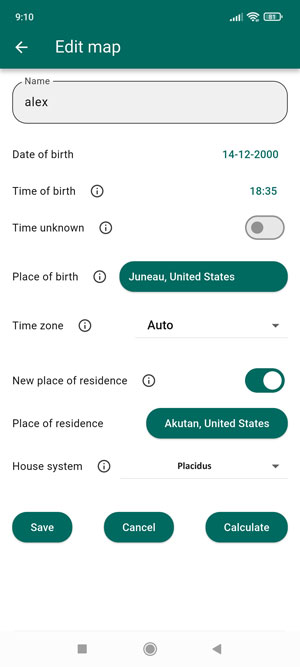
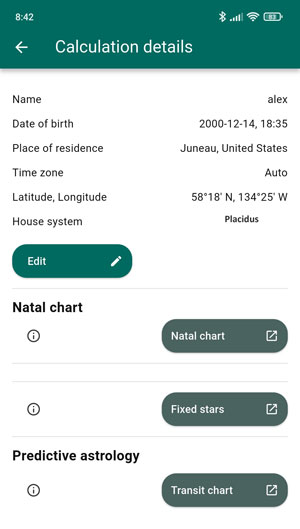
Screenshot: Generating chart links
When you select “New Place of Residence” (Relocation), all charts in “Predictive Astrology” will be generated for the relocation chart. If you need natal positions, disable the relocation option, or better yet, create two sets of charts: natal (without relocation) and local (with “New Place of Residence” enabled).
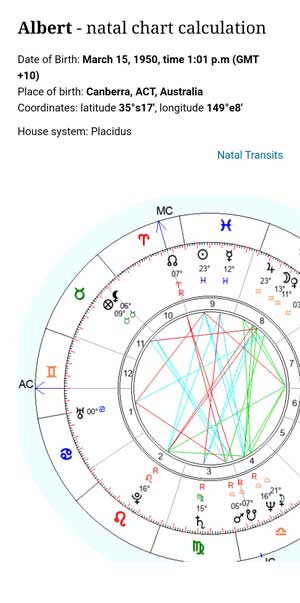
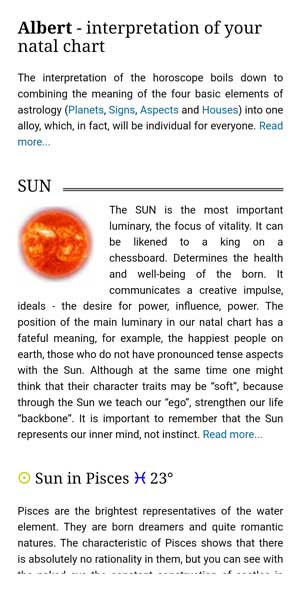
Screenshot: Natal chart calculation
Liked the article? Share with your friends.

Popular articles:
-
 Neptune – MC (Midheaven) Conjunction – The Power of Dreams
The Midheaven on the cusp of the Tenth House shows the chart owner in which sphere they can successfully and productively fulfill their calling. This is not only the... -
 Moon – MC (Midheaven) Square – The Winding Path of Intuition
A square to the Meridian of the Midheaven creates incredible tension in a person’s soul, especially when they are unable to fulfill what they have planned for a long... -
How to Fill Out and Calculate a Natal Chart: Step-by-Step Instructions
Filling Out the Natal Chart Form If you came to this page from search, these instructions refer to this natal chart. 1. Fill in the Name field. This field may be... -
 Method of Natal Chart (Horoscope) Analysis
The natal chart (horoscope) is a person’s astrological passport. Interpreting it can help uncover the causes of setbacks, adjust the development of one’s life... -
 Compatibility horoscope. Zodiac signs compatibility chart
In some Eastern countries, including India, there is an ancient tradition: before officially getting married, couples consult a local astrologer to draw up a...
Comments: