










Filling Out the Natal Chart Form
If you came to this page from search, these instructions refer to this natal chart.
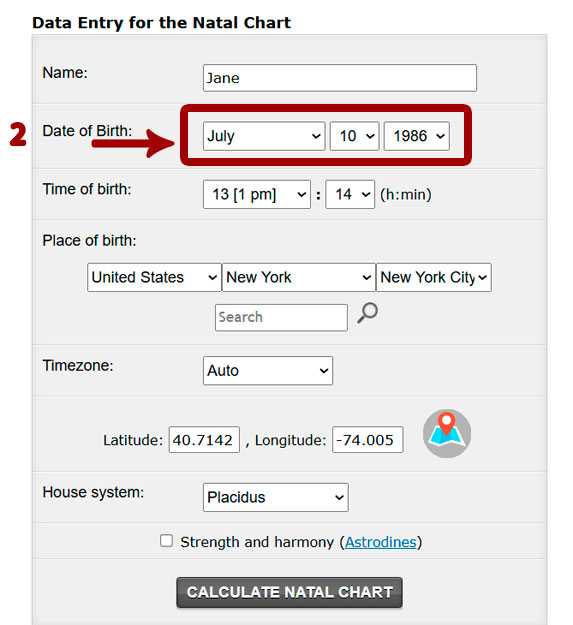
1. Fill in the Name field. This field may be skipped. 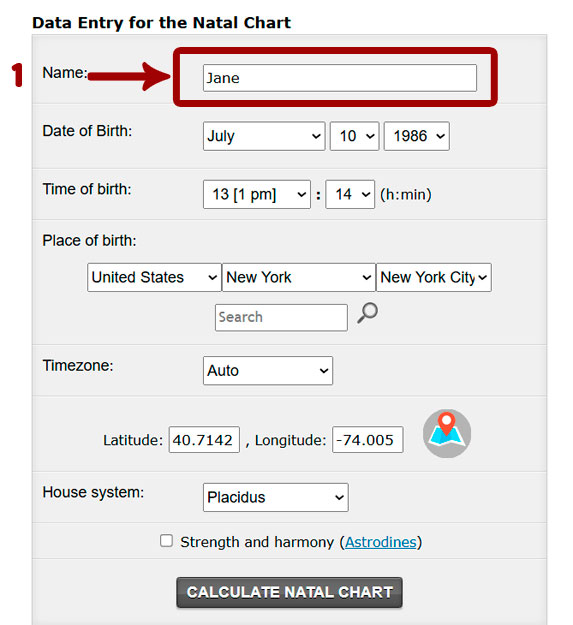 2. Fill in the date of birth field.
  3. Fill in the time of birth field.
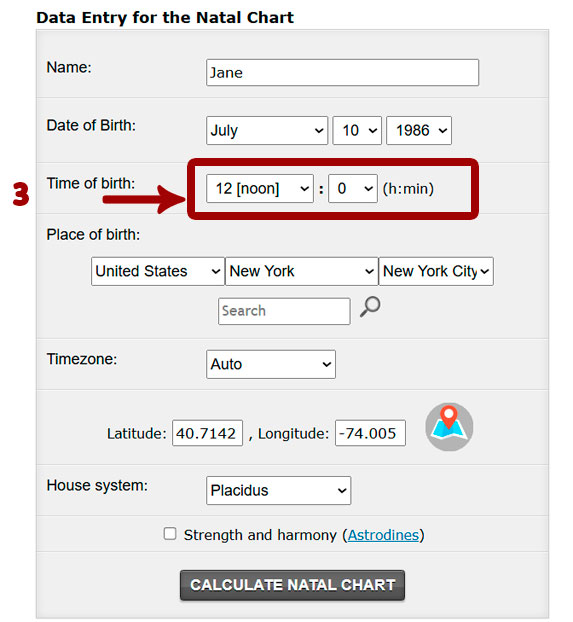
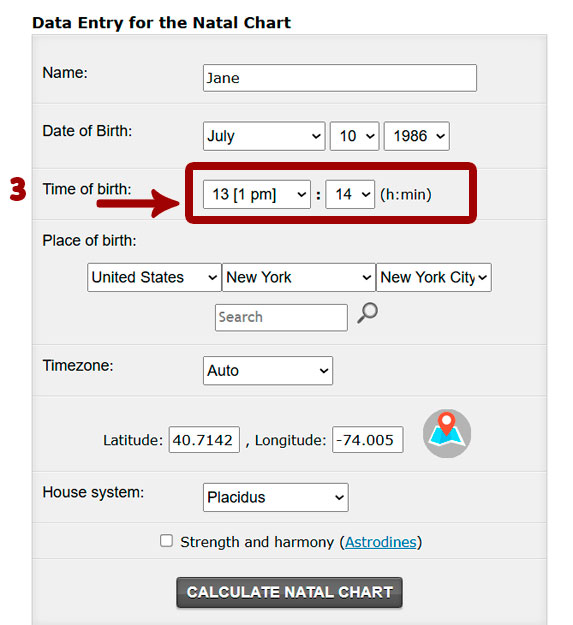 The birth time should be entered in local time, as recorded on the maternity hospital tag. If the birth time is unknown, leave the time as 12:00. If your birth time is exactly 12:00, set it to 12:01, since 12:00 is reserved specifically for an unknown birth time.
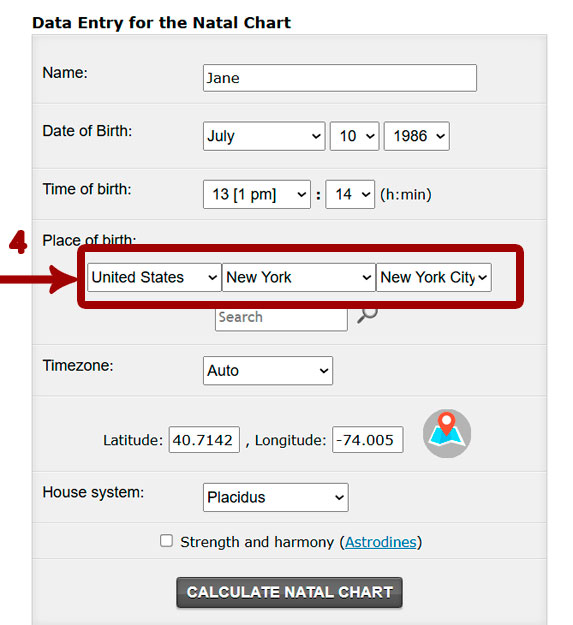
  4. Fill in the place of birth field. To do this, select the country from the drop-down list, then the region, and then the city.
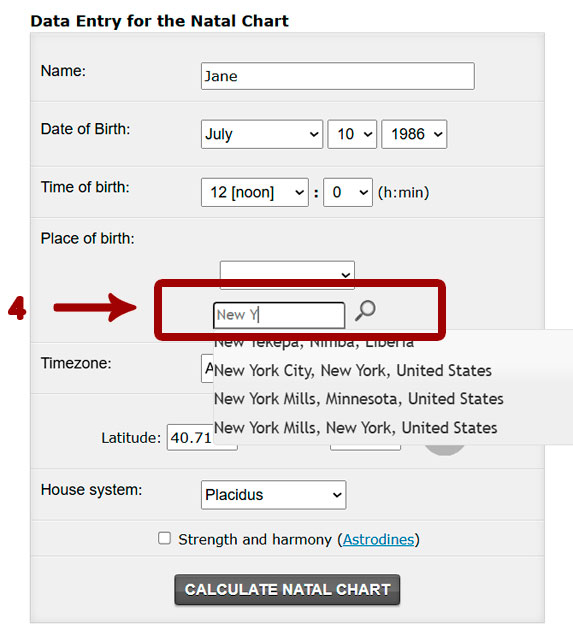
 Sometimes it is faster to find the city using the search field. Enter the first three letters of the city name, then select the city from the drop-down list. Both methods of selecting a city use data from the same database.
  5. After selecting the city of birth, the time zone, latitude, and longitude fields will be filled in automatically. At this stage, you can leave everything at the default settings and move on to the next step.
The time zone switches to “Automatic” mode, and when the natal chart is calculated, it will take into account the history of clock changes, including standard time, daylight saving time, and decree time. We recommend leaving the “Automatic” mode enabled.
If your locality is not available nearby, you can manually fill in the latitude, longitude, and time zone fields. Latitude and longitude must be entered in decimal format. 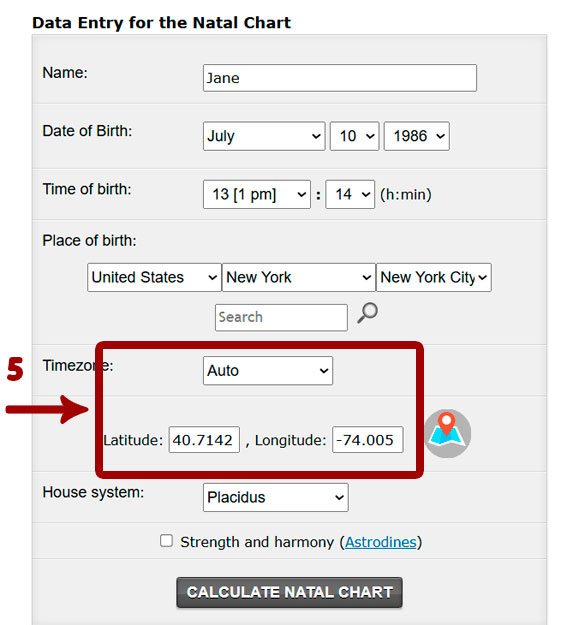 6. If you need to adjust the latitude and longitude on the map for a more accurate location, drag the marker to the desired place.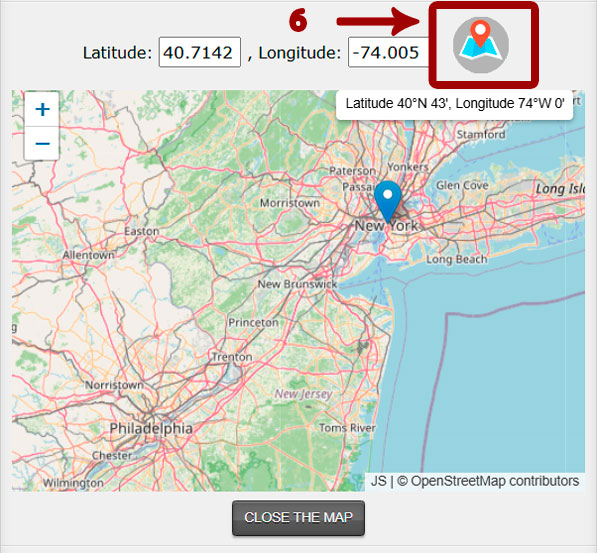
7. We recommend leaving the “House calculation system” field at the default setting, “Placidus.” This field is intended for experienced astrologers.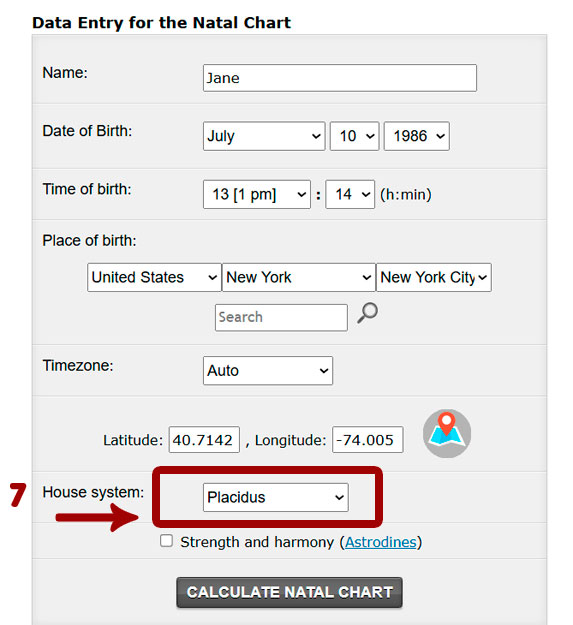 8. The “Strength and Harmony (Astrodynes)” field allows you to add Astrodynes to the calculation.
 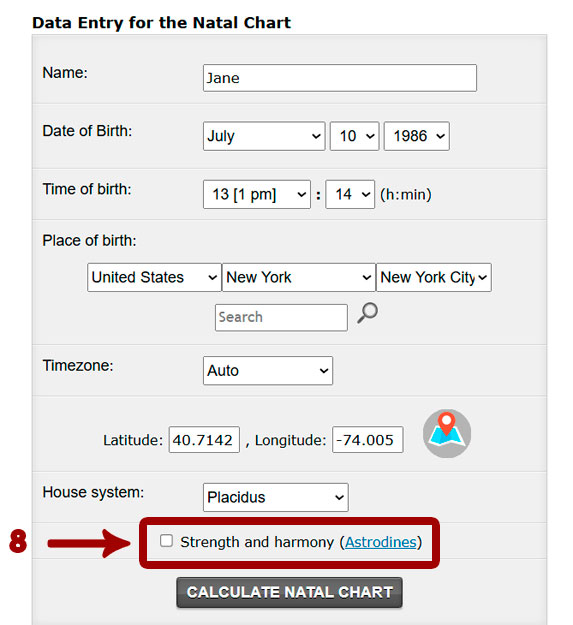 9. After filling in all the fields, click Calculate Natal Chart.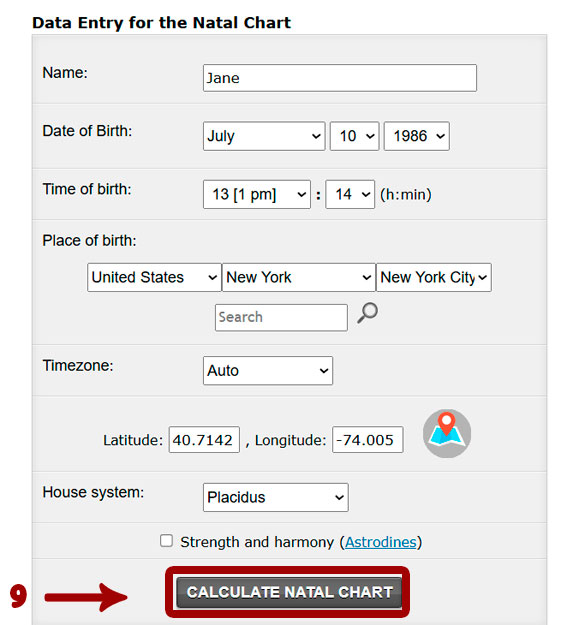
Next, the calculation of your natal chart will appear in a new browser window. For quick navigation, here are the three main sections. 1. Contents. This allows you to move quickly through the chart contents. After going to the topic you need, you will also find an Up button at the end of the topic, which takes you back to the contents. 2. Transits. Fixed Stars. This allows you to move quickly to other charts without filling out the form again; the data are taken from the natal chart form completed above. 3. Edit. This allows you to correct the natal chart form data and perform a new calculation.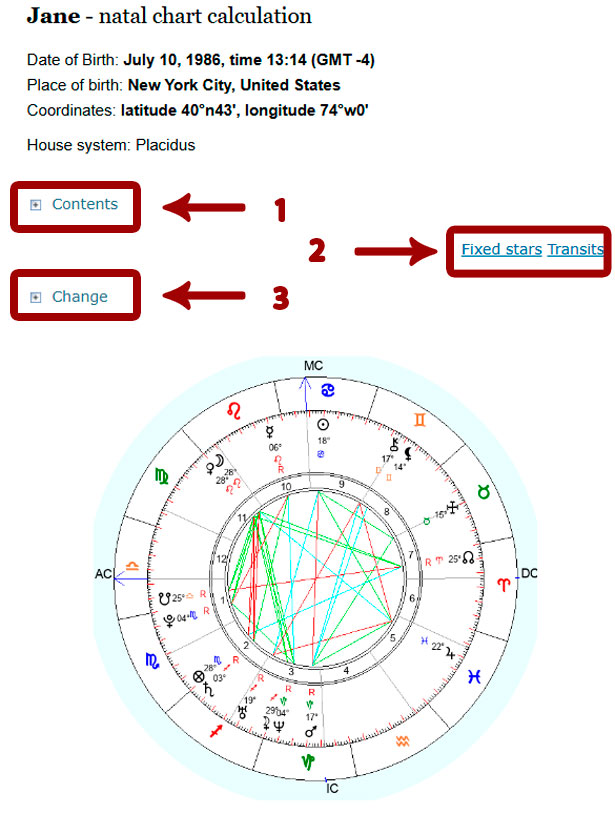
Share with your friends. +5 to Karma

Articles from the category:
-
 Pars of Fortune in the 8th house
This person will achieve great joy because of what will be given to him by others. Value systems that seem to transcend the personal structure will ultimately perform... -
Part of Fortune in Cancer
A person with this placement of Part of Fortune achieves great joy by ensuring the free flow of “nourishing” energy. He strives to nourish himself and others with... -
 Pars of Fortune in the 12th house
The Pars of Fortune in the 12th house indicates that a person will achieve great happiness and joy through harmony with his inner self. In this way man satisfies the... -
Part of Fortune in Leo
There is a strong desire to act as the “center” and lead. Through self-control, the individual strives to be a source of inspiration and guidance to others. A leader... -
 Part of Fortune in the 10th house
A person with this placement of Part of Fortune will achieve great joy by performing specific traditional tasks that he has chosen and defined for himself. There is a...
Popular articles:
-
 Neptune – MC (Midheaven) Conjunction – The Power of Dreams
The Midheaven on the cusp of the Tenth House shows the chart owner in which sphere they can successfully and productively fulfill their calling. This is not only the... -
 Moon – MC (Midheaven) Square – The Winding Path of Intuition
A square to the Meridian of the Midheaven creates incredible tension in a person’s soul, especially when they are unable to fulfill what they have planned for a long... -
 Method of Natal Chart (Horoscope) Analysis
The natal chart (horoscope) is a person’s astrological passport. Interpreting it can help uncover the causes of setbacks, adjust the development of one’s life... -
 Compatibility horoscope. Zodiac signs compatibility chart
In some Eastern countries, including India, there is an ancient tradition: before officially getting married, couples consult a local astrologer to draw up a...
Comments: